mujou
A cross-platform Rust application that converts raster images into vector path files suitable for kinetic sand tables, pen plotters, laser cutters, and similar CNC devices. The primary use case is converting photos and images into patterns that a sand table’s steel ball can trace.
Deployed as a static WASM web app (primary target), with optional desktop and mobile builds from the same codebase. All processing runs client-side in the browser. No images leave the user’s device. No backend needed.
Documentation
Core Design
- Principles – Sans-IO philosophy, testability goals, dependencies policy
- Architecture – Layer design, crate structure, workspace layout
- Requirements – Platform targets, technology choices, toolchain
Features
- Image Processing Pipeline – Processing steps, algorithms, tunable parameters
- Output Formats – THR, G-code, SVG, DXF, PNG specifications
- UI Design – Components, layout, interaction model
Ecosystem
- Overview – Sand table manufacturers, devices, communities, and existing software
Project Management
- Development – Local development, testing, coverage
- Implementation – Phase checklist, roadmap
- Decisions – Resolved design decisions
- Naming – Name candidates, availability, thematic exploration
- Open Questions – Pending decisions, deferred items
Tutorial: Convert a Photo to a Sand Table Pattern
This tutorial walks through converting a photograph into a single
continuous path that a kinetic sand table can trace. By the end you
will have a .thr file ready to upload to your table.
All processing happens in your browser – no images leave your device.
1. Open the app
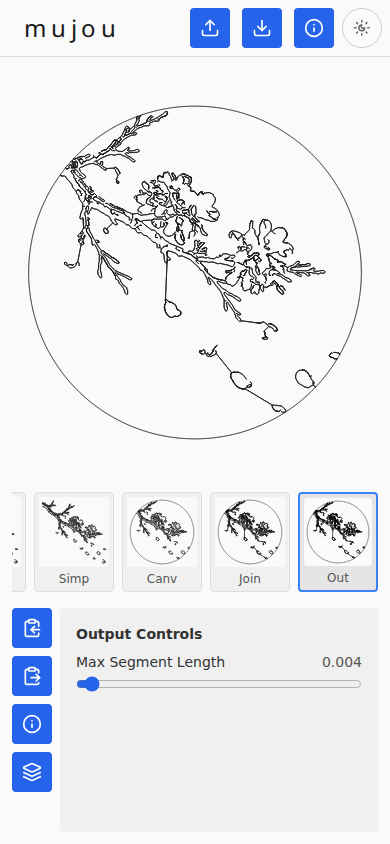
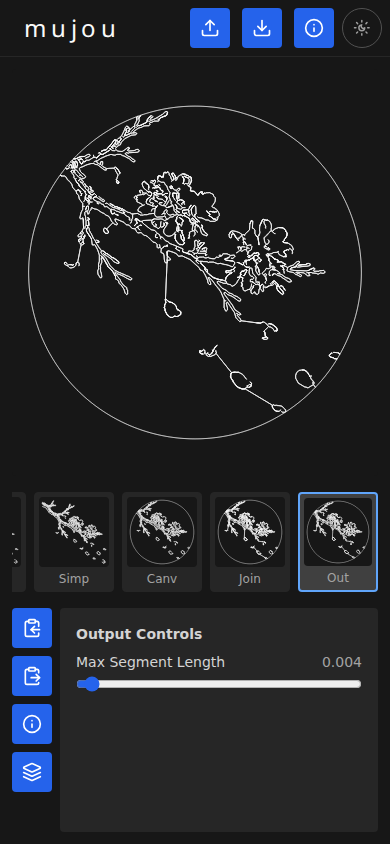
When you first open mujou the bundled example image (cherry blossoms) is already processed and the Output stage is selected. The main preview shows the final path clipped to a circular canvas, the filmstrip along the bottom shows thumbnails for each pipeline stage, and the controls panel below offers per-stage parameters.
To use your own image, click the upload button at the top of the page, or drag and drop a file anywhere. PNG, JPEG, BMP, and WebP are supported.
2. View the original photo
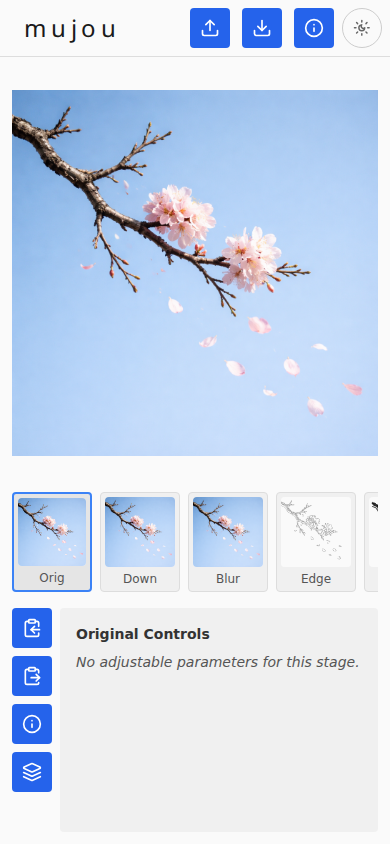
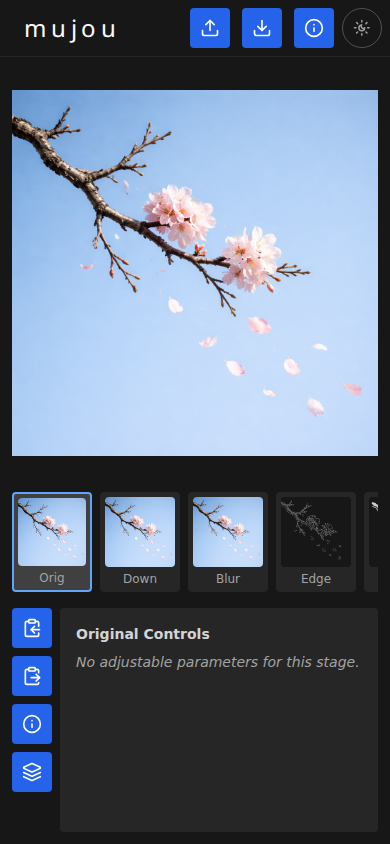
Click the Original thumbnail in the filmstrip to see the source image. This is the unmodified photo that the pipeline starts from.
3. Tune the edge detection
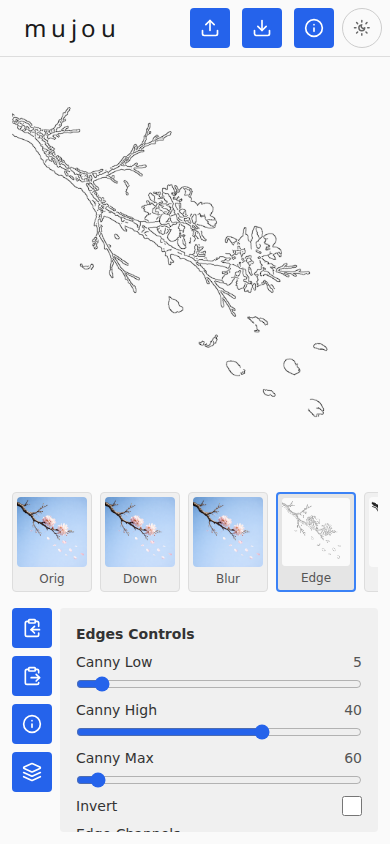
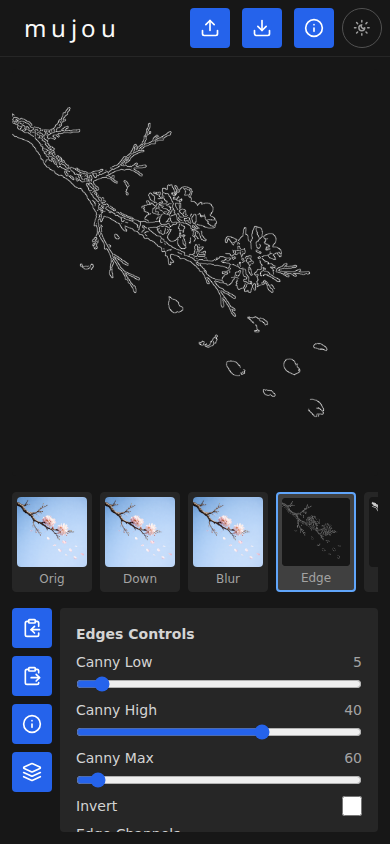
Click the Edges thumbnail. The Canny edge detector finds the outlines in your image – these are the lines the sand table will trace. Below the preview you can see the Canny threshold sliders, an Invert toggle, and Edge Channels checkboxes.
The three threshold sliders control which edges are kept:
- Canny Low – minimum gradient strength to consider a pixel as a potential edge.
- Canny High – gradient strength above which a pixel is definitely an edge.
- Canny Max – the maximum possible gradient value (normalizes the scale).
Try lowering Canny Low (here set to 5, down from the default of 15) to keep weaker edges and capture more detail. The pipeline reprocesses automatically after each change.
4. View the joined path
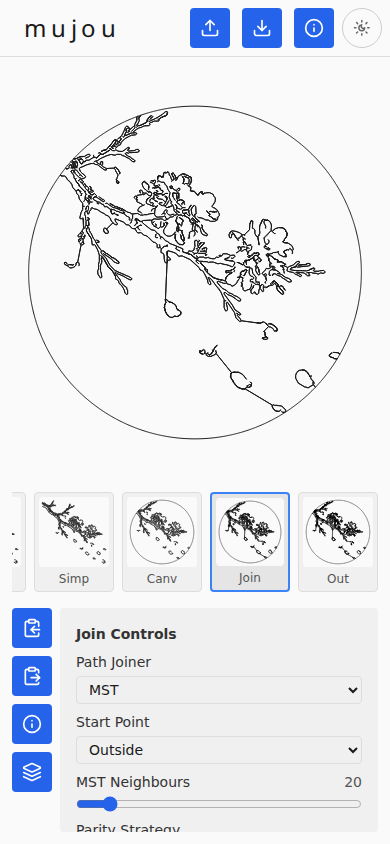
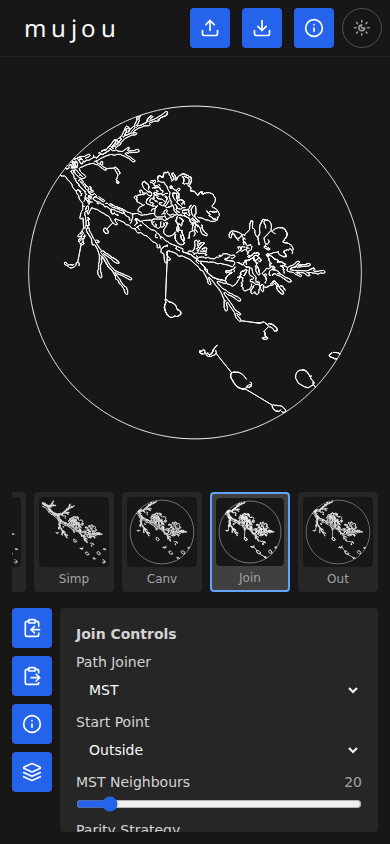
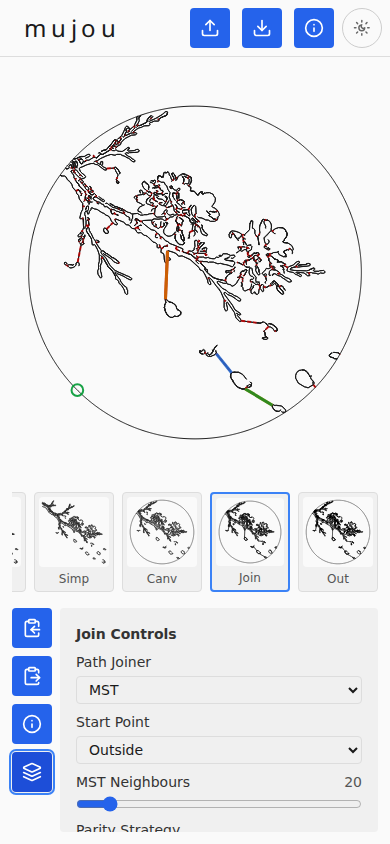
Click the Join thumbnail. This is where the magic happens: the MST (Minimum Spanning Tree) joiner connects all the separate edge contours into a single continuous path. A sand table ball cannot be “lifted,” so the entire output must be one unbroken line.
The Join Controls panel offers options for the joining strategy, start point, MST neighbour count, and parity strategy.
5. Inspect the join diagnostics
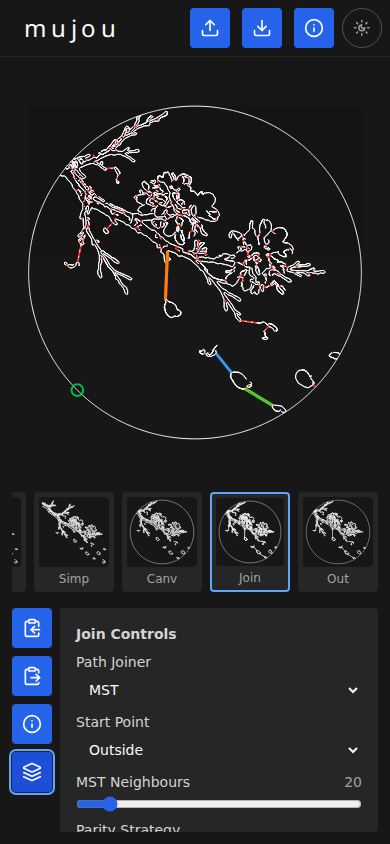
While viewing the Join stage, click the diagnostic overlay button on the left side. The overlay color-codes the connections between contours so you can see exactly how the paths were joined:
- Red dots mark endpoints of original contours.
- Colored segments (orange, blue, green) show the connecting paths added by the joiner.
- Green circle marks the start point of the path.
6. View the final output
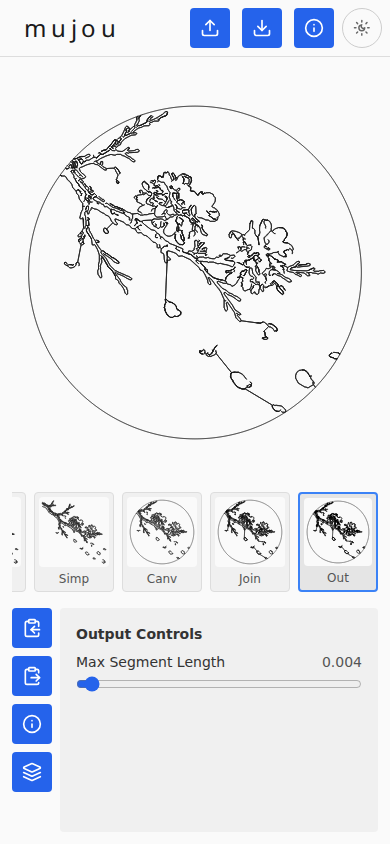
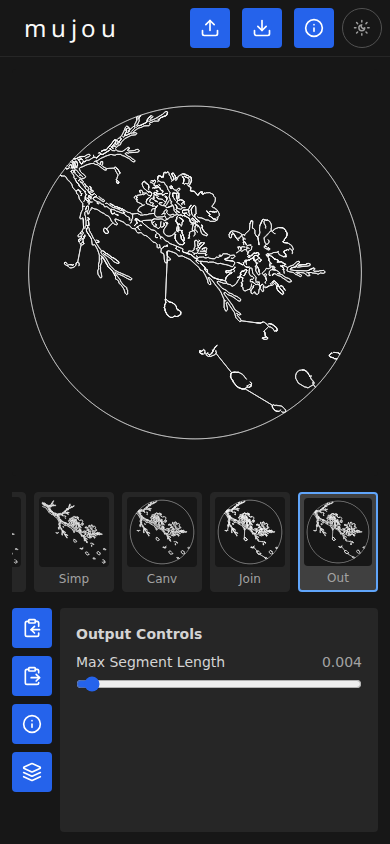
Click the Output thumbnail to see the finished path. This stage applies subsampling (subdividing long straight segments into shorter ones) so the path renders smoothly when converted to the polar coordinate system used by THR files.
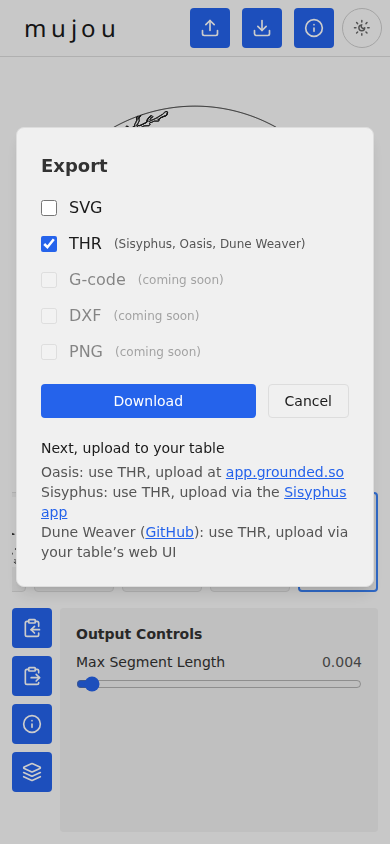
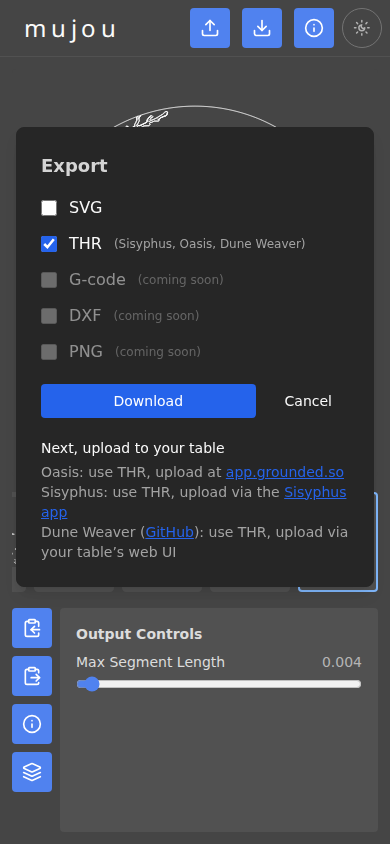
7. Export to THR
Click the export button at the top of the page. In the Export dialog:
- Check THR (it should be checked by default).
- Click Download.
The browser will download a .thr file containing your pattern in
polar coordinates.
8. Load onto your table
Upload the downloaded file to your sand table:
| Table | Format | How to upload |
|---|---|---|
| Sisyphus | THR | Upload via the Sisyphus app or the Web Center. |
| Oasis | THR | Upload at app.grounded.so. |
| Dune Weaver | THR | Upload via your table’s web UI. |
Principles
Sans-IO Design
The project follows full sans-IO design principles to maximize testability.
Core Principles
- Core crates have zero I/O dependencies – no
web-sys, nodioxus, no async, no filesystem - Core crates CAN have pure computation dependencies –
image,imageproc,serde,thiserrorare allowed - Pure functions over side effects in core – image bytes in, polylines out; polylines in, format string out
- I/O crates handle all platform interaction – file uploads, downloads, DOM rendering, canvas
- 100% testable without a browser – core logic tested with deterministic inputs, no DOM or WASM runtime needed
Example Pattern
#![allow(unused)]
fn main() {
// Core crate (mujou-pipeline) - pure logic, no I/O
pub fn process(image_bytes: &[u8], config: &PipelineConfig) -> Result<ProcessResult, PipelineError> {
    let img = decode_image(image_bytes)?;
    let gray = to_grayscale(&img);
    let blurred = gaussian_blur(&gray, config.blur_sigma);
    let edges = canny(&blurred, config.canny_low, config.canny_high);
    let contours = config.contour_tracer.trace(&edges);
    let simplified = simplify_paths(&contours, config.simplify_tolerance);
    let optimized = optimize_path_order(&simplified);
    let joined = config.path_joiner.join(&optimized);
    Ok(ProcessResult { polyline: joined, dimensions: img.dimensions() })
}

// Core crate (mujou-export) - pure serialization, no I/O
pub fn to_thr(path: &Polyline, config: &ThrConfig) -> String {
    // Pure function: single continuous path -> theta-rho text
}

// IO crate (mujou-io) - browser interaction
fn trigger_download(content: &str, filename: &str, mime_type: &str) {
    // web-sys Blob + object URL + <a> click
}
}
Layer Boundaries
| Layer | Crates | I/O Allowed? | Async Allowed? |
|---|---|---|---|
| Core | mujou-pipeline, mujou-export | No | No |
| Integration | mujou-io | Yes | Yes |
| Application | mujou-app | Yes | Yes |
Pluggable Algorithm Strategies
When a pipeline step has multiple viable algorithms, design it as a user-selectable strategy rather than hardcoding a single approach.
Rationale
Different images, output devices, and aesthetic preferences favor different algorithms. Rather than picking one algorithm and hoping it works for all cases, expose the choice to the user and make it easy to add new strategies over time.
Guidelines
- Define the step by its inputs and outputs, not its algorithm. Each pipeline step has a trait that specifies the type signature (e.g., binary edge map in, polylines out). Any implementation that satisfies that trait is a valid strategy.
- Ship with one strategy, design for many. MVP can launch with a single implementation per step. The architecture should make adding a second strategy a small, isolated change – implement the trait on a new struct, wire it to the UI.
- Each strategy is a pure function. Strategies live in the core layer with no I/O dependencies. This makes them independently testable with synthetic inputs.
- User selects via UI. The UI exposes strategy choices as dropdowns or radio buttons. The
PipelineConfigstores the user’s selection and the pipeline dispatches to the corresponding trait implementation. - Document tradeoffs per strategy. Each strategy’s doc comment or documentation entry should state what it’s good at, what it’s bad at, and when to prefer it.
Example
#![allow(unused)]
fn main() {
/// Trait for contour tracing strategies.
/// Input: binary edge map. Output: disconnected polylines.
trait ContourTracer {
    fn trace(&self, edges: &GrayImage) -> Vec<Polyline>;
}

/// Suzuki-Abe border following via imageproc::contours::find_contours.
/// Fast, zero custom code. Doubles borders on 1px-wide edges;
/// relies on RDP simplification to collapse the doubling.
struct BorderFollowing;

impl ContourTracer for BorderFollowing {
    fn trace(&self, edges: &GrayImage) -> Vec<Polyline> {
        // ...
    }
}

/// Marching squares isoline extraction.
/// Produces single centerline paths at sub-pixel precision.
/// Better geometry, more custom code.
struct MarchingSquares;

impl ContourTracer for MarchingSquares {
    fn trace(&self, edges: &GrayImage) -> Vec<Polyline> {
        // ...
    }
}

/// Trait for path joining strategies.
/// Input: ordered disconnected contours. Output: single continuous path.
trait PathJoiner {
    fn join(&self, contours: &[Polyline]) -> Polyline;
}

/// Connect end of each contour to start of next with a straight line.
/// Simple, minimal code. Visible scratches between features.
struct StraightLineJoin;

impl PathJoiner for StraightLineJoin {
    fn join(&self, contours: &[Polyline]) -> Polyline {
        // ...
    }
}
}
Current strategy points
These pipeline steps are designed as pluggable strategies:
| Step | Trait | MVP implementation | Future candidates |
|---|---|---|---|
| Contour tracing | ContourTracer | BorderFollowing (Suzuki-Abe via imageproc) | MarchingSquares |
| Path joining | PathJoiner | StraightLineJoin | RetraceJoin, EdgeAwareJoin, SpiralJoin (polar) |
As the project matures, other pipeline steps may benefit from the same pattern (e.g., edge detection algorithms, simplification algorithms, path optimization heuristics).
Dependencies Policy
Core Crates (sans-IO)
Allowed:
image(pixel buffer types and decoding)imageproc(image processing algorithms, withdefault-features = false)serde(serialization)thiserror(error types)- Pure computation crates
Forbidden:
dioxusor any UI frameworkweb-sys,js-sys,wasm-bindgen- Any async runtime
- File system access
- Network access
- DOM interaction
I/O Crates
Allowed:
dioxusweb-sys,js-sys,wasm-bindgen- Browser APIs (file input, Blob, canvas)
- Platform-specific crates behind
#[cfg]gates
Testing Philosophy
Target 100% coverage with explicit exclusions for untestable code. The sans-IO architecture makes this achievable for core crates – all image processing and format serialization is pure functions testable with synthetic inputs.
Core crate tests require only cargo test – no browser, no WASM runtime, no DOM.
Architecture
Layer Design
┌───────────────────────────────────────────────────────┐
│                   Application Layer                    │
│  ┌─────────────────────────────────────────────────┐  │
│  │                     mujou-app                     │  │
│  │       (Dioxus web app - wires everything)        │  │
│  └─────────────────────────────────────────────────┘  │
├───────────────────────────────────────────────────────┤
│                   Integration Layer                    │
│  ┌─────────────────────────────────────────────────┐  │
│  │                  mujou-io                         │  │
│  │  (web-sys file I/O, Blob downloads,              │  │
│  │   Dioxus component library)                      │  │
│  └─────────────────────────────────────────────────┘  │
├───────────────────────────────────────────────────────┤
│                      Core Layer                        │
│  ┌────────────────────┐  ┌─────────────────────────┐ │
│  │  mujou-pipeline     │  │    mujou-export          │ │
│  │  (image processing: │  │  (format serializers:    │ │
│  │   blur, canny,      │  │   .thr, .gcode, .svg,   │ │
│  │   contours, RDP,    │  │   .dxf, .png)            │ │
│  │   optimization)     │  │                          │ │
│  │  NO I/O             │  │  NO I/O                  │ │
│  └────────────────────┘  └─────────────────────────┘ │
└───────────────────────────────────────────────────────┘
Workspace Layout
mujou/
├── Cargo.toml                    # Workspace root
├── crates/
│   ├── mujou-pipeline/           # Pure image processing (sans-IO)
│   │   ├── Cargo.toml
│   │   └── src/
│   │       ├── lib.rs
│   │       ├── grayscale.rs
│   │       ├── blur.rs
│   │       ├── edge.rs           # Canny edge detection
│   │       ├── contour.rs        # Contour tracing
│   │       ├── optimize.rs       # Path optimization
│   │       ├── simplify.rs       # Ramer-Douglas-Peucker
│   │       ├── mask.rs           # Circular mask / crop
│   │       └── types.rs          # Point, Polyline, PipelineConfig
│   ├── mujou-export/             # Pure format serializers (sans-IO)
│   │   ├── Cargo.toml
│   │   └── src/
│   │       ├── lib.rs
│   │       ├── thr.rs            # Theta-Rho format
│   │       ├── gcode.rs          # G-code format
│   │       ├── svg.rs            # SVG format
│   │       ├── dxf.rs            # DXF format
│   │       └── png.rs            # Rasterized preview
│   ├── mujou-io/                 # Browser I/O + Dioxus components
│   │   ├── Cargo.toml
│   │   └── src/
│   │       ├── lib.rs
│   │       ├── download.rs       # Blob URL file downloads
│   │       └── components/
│   │           ├── mod.rs
│   │           ├── upload.rs     # File upload / drag-drop
│   │           ├── preview.rs    # SVG preview of paths
│   │           ├── controls.rs   # Parameter sliders
│   │           └── export.rs     # Export format buttons
│   └── mujou-app/                # Binary entry point
│       ├── Cargo.toml
│       └── src/
│           └── main.rs
├── docs/                         # mdBook documentation
│   ├── book.toml
│   └── src/
│       ├── SUMMARY.md
│       └── project/
│           └── *.md
├── assets/                       # Static assets (example images)
├── Dioxus.toml                   # Dioxus CLI config
├── rust-toolchain.toml
├── rustfmt.toml
├── .pre-commit-config.yaml
├── typos.toml
├── deny.toml
├── AGENTS.md
├── README.md
├── LICENSE-MIT
└── LICENSE-APACHE
Crate Descriptions
| Crate | Layer | Purpose |
|---|---|---|
mujou-app | Application | Dioxus app entry point, wires everything together |
mujou-io | Integration | Browser I/O (file upload, downloads, DOM), Dioxus components |
mujou-pipeline | Core | Pure image processing: grayscale, blur, Canny, contour tracing, RDP, path optimization (no I/O) |
mujou-export | Core | Pure format serializers: THR, G-code, SVG, DXF, PNG (no I/O) |
Data Flow
Image bytes (from file upload)
  │
  ▼
┌──────────────────────────────────────────────────────┐
│  mujou-pipeline (core, pure)                          │
│                                                       │
│  decode → grayscale → blur → canny                    │
│    → contours (ContourTracer: border following | ...)  │
│    → simplify (RDP) → optimize path order             │
│    → join into single path (PathJoiner: straight | ...)│
│    → optional circular mask                           │
│                                                       │
│  Output: Polyline (single continuous path)            │
└──────────────┬───────────────────────────────────────┘
               │
               ▼
┌──────────────────────────────────────────────────────┐
│  mujou-export (core, pure)                            │
│                                                       │
│  Polyline → .thr text                                 │
│  Polyline → .gcode text                               │
│  Polyline → .svg text                                 │
│  Polyline → .dxf text                                 │
│  Polyline → PNG bytes                                 │
└──────────────┬───────────────────────────────────────┘
               │
               ▼
┌──────────────────────────────────────────────────────┐
│  mujou-io (integration)                               │
│                                                       │
│  Render SVG preview in DOM                            │
│  Trigger Blob download for export files               │
└──────────────────────────────────────────────────────┘
Key Design Constraints
WASM Target
The primary build target is wasm32-unknown-unknown.
This constrains dependency choices:
- No OS threads (
rayondisabled inimageproc) - No filesystem access in core crates
- No native FFI
- Browser APIs accessed through
web-sysonly in the IO layer
Client-Side Only
All processing runs in the user’s browser. No images are uploaded to any server. The deployed artifact is static files (HTML + JS + WASM) hostable on GitHub Pages, Netlify, or Cloudflare Pages with zero backend.
Requirements
Platform Targets
| Platform | Priority | Status |
|---|---|---|
| Web (WASM) | Primary | Target for MVP |
| Desktop | Future | Same codebase via Dioxus |
| Android | Future | Experimental in Dioxus |
| iOS | Future | Better support in Dioxus than Android |
The web target is the MVP. Desktop and mobile targets share the same Rust codebase via Dioxus multi-platform support, but are not in scope for the initial implementation.
Technology Choices
| Component | Choice | Version | Rationale |
|---|---|---|---|
| Language | Rust | Edition 2024 | Safety, performance, WASM compilation |
| UI framework | Dioxus | 0.7+ | Single codebase for web/desktop/mobile, React-like RSX, Tailwind CSS, largest Rust GUI community |
| Styling | Tailwind CSS | 4 | Utility-first CSS, works with Dioxus RSX class: attributes |
| Image processing | imageproc | 0.26 | Canny edge detection, Gaussian blur, contour tracing; WASM-compatible with default-features = false |
| Image decoding | image | 0.25 | PNG, JPEG, BMP, WebP decoding; pure Rust, WASM-compatible |
| WASM browser APIs | web-sys | 0.3 | Type-safe bindings for Blob, URL, file downloads |
| Build tool | dx (Dioxus CLI) | latest | Project scaffolding, dev server, WASM builds |
Why Dioxus Over Alternatives
- vs egui: egui is simpler and faster to prototype, but produces apps that look like developer tools, not consumer-facing web apps. Dioxus supports Tailwind CSS for polished styling. If Dioxus proves too painful for the web-only MVP, falling back to egui + eframe is reasonable.
- vs Leptos/Yew: These are web-only frameworks. Dioxus provides a path to desktop and mobile from the same codebase.
- vs JavaScript/TypeScript: Rust compiles to WASM for client-side execution with native-like performance. The image processing pipeline benefits from Rust’s speed. No need for a separate backend.
imageproc WASM Compatibility
imageproc compiles to wasm32-unknown-unknown with default-features = false.
This disables:
rayon– parallel processing via OS threads, which do not exist in WASMfft– Fast Fourier Transform support, which pulls inrustdctwith potential WASM issues
The core algorithms (Canny edge detection, Gaussian blur, contour finding) are pure Rust and work in single-threaded WASM.
The imageproc maintainers actively test against WASM (wasm-bindgen-test is in dev-dependencies).
getrandom WASM Requirement
imageproc depends on rand which depends on getrandom.
For WASM targets, getrandom requires the wasm-bindgen feature to source randomness from crypto.getRandomValues():
getrandom = { version = "0.3", features = ["wasm-bindgen"] }
Supported Input Formats
- PNG
- JPEG
- BMP
- WebP (pending WASM compatibility verification)
Supported Output Formats
See Output Formats for detailed specifications.
- Theta-Rho (.thr) – Sisyphus / Oasis Mini / DIY polar sand tables
- G-code (.gcode) – XY/Cartesian sand tables (ZenXY, GRBL/Marlin)
- SVG (.svg) – Universal vector format; also accepted by Oasis Mini app, though THR is preferred (SVG sizing/centering can be incorrect)
- DXF (.dxf) – CAD interchange
- PNG preview – Rasterized path render for sharing/thumbnailing
Deployment
Static site deployment via GitHub Pages.
dx bundle --release produces HTML + JS + WASM files.
Zero backend, zero server-side processing.
Hosting
| Component | Choice | Notes |
|---|---|---|
| Static site host | GitHub Pages | Free tier, same repo, no additional vendor |
| Domain | mujou.art | Registration and DNS hosting at registrar |
| URL structure | / landing page, /app/ WASM app | Path-based routing, single repo |
| HTTPS | Automatic | GitHub Pages provisions TLS for custom domains |
| Blob storage | Deferred | Evaluate independently when needed (B2, R2, Tigris) |
Dioxus Configuration
The WASM app is served under /app/, not at the domain root.
The base_path is set via the --base-path app CLI flag at deploy time, not in Dioxus.toml, so that local development with dx serve continues to work at the root path.
GitHub Pages Repository Configuration
- In the repository Settings > Pages, set Source to GitHub Actions
- Under Custom domain, enter
mujou.artand click Save (the custom domain is managed in repo settings, not via aCNAMEfile, when using GitHub Actions as the source) - Create a GitHub Actions workflow that:
- Builds the WASM app with
dx bundle --release - Assembles the deploy directory with the landing page at root and app output under
app/ - Copies
app/index.htmltoapp/404.htmlfor client-side routing - Deploys using
actions/upload-pages-artifactandactions/deploy-pages
- Builds the WASM app with
Custom Domain DNS Configuration
Configure DNS at the domain registrar to point at GitHub Pages:
For the apex domain (mujou.art), add A and AAAA records pointing to GitHub Pages’ IP addresses:
| Type | Host | Value |
|---|---|---|
| A | @ | 185.199.108.153 |
| A | @ | 185.199.109.153 |
| A | @ | 185.199.110.153 |
| A | @ | 185.199.111.153 |
| AAAA | @ | 2606:50c0:8000::153 |
| AAAA | @ | 2606:50c0:8001::153 |
| AAAA | @ | 2606:50c0:8002::153 |
| AAAA | @ | 2606:50c0:8003::153 |
For www.mujou.art, add a CNAME record to enable the redirect to the apex domain:
| Type | Host | Value |
|---|---|---|
| CNAME | www | <username>.github.io |
GitHub Pages automatically redirects www.mujou.art to mujou.art when the apex domain is configured as the custom domain.
The CNAME record routes www requests to GitHub’s servers so they can issue the redirect.
After DNS propagates, enable Enforce HTTPS in the repository’s Pages settings.
These IP addresses are monitored by a scheduled workflow that opens a PR if GitHub changes them.
The canonical values are stored in .github/pages-ips.json.
Source and Deploy Structure
Landing page source is in site/ (checked into the repo).
The {{REPO_URL}} placeholder in site/index.html is substituted by the deploy workflow using GitHub context variables.
The deploy workflow assembles this structure before uploading:
deploy/                         # assembled by CI (not checked in)
├── index.html                  # from site/, with {{REPO_URL}} substituted
├── app/
│   ├── index.html              # Dioxus app entry (from dx bundle)
│   ├── 404.html                # copy of index.html for client-side routing
│   └── assets/
│       ├── mujou_app_bg-*.wasm  # content-hashed WASM binary
│       └── mujou_app-*.js      # content-hashed JS loader
Image Processing Pipeline
The pipeline is format-agnostic.
The internal representation is XY polylines (Vec<Polyline> where Polyline = Vec<Point> and Point = (f64, f64)).
Export serializers convert this to each output format.
All pipeline code lives in the mujou-pipeline crate (core layer, pure Rust, no I/O).
Processing Steps
1. Decode Image
Accept common raster formats: PNG, JPEG, BMP, WebP.
Use the image crate to decode raw bytes into an RgbaImage pixel buffer.
2. Downsample
Resize the image so the longest axis matches working_resolution.
All subsequent pipeline stages operate at this reduced resolution.
User parameters:
working_resolution(u32, default: 1000)downsample_filter(DownsampleFilter, default:Triangle)
3. Gaussian Blur
Smooth the RGBA image to reduce noise before edge detection.
Each R/G/B/A channel is blurred independently using imageproc::filter::gaussian_blur_f32(channel, sigma).
Operating on the full RGBA image means the blur preview in the UI shows color (not grayscale), and downstream edge detection can extract already-blurred channels without redundant per-channel blurring. Mathematically, blurring each channel independently then extracting a derived channel (e.g. luminance) is equivalent to extracting the channel first then blurring, since Gaussian blur is a linear per-channel operation.
User parameter: blur_sigma (f32, default: 1.4)
4. Canny Edge Detection
Detect edges using Canny on one or more image channels, combining results via pixel-wise maximum.
By default, edge detection runs on the luminance (grayscale) channel only. The user can enable additional channels to capture edges that luminance alone misses – for example, hue boundaries where color changes but brightness stays similar.
Edge channels
Canny runs independently on each enabled channel. The per-channel edge maps are combined via pixel-wise maximum, so edges detected in any enabled channel appear in the final edge map.
| Channel | Source | Default | Notes |
|---|---|---|---|
| Luminance | sRGB/Rec.709 grayscale | on | Standard luminance, works well for most images |
| Red | R from RGBA | off | Skin appears bright; useful for skin/lip boundaries |
| Green | G from RGBA | off | Most similar to luminance; captures overall detail |
| Blue | B from RGBA | off | Skin appears dark; tends to be noisier |
| Saturation | S from HSV | off | Highlights hue boundaries (lips, colored clothing) |
All channels are extracted from the already-blurred RGBA image (step 3), so no additional per-channel blurring is needed.
See #96 for planned future channels (Hue, Value, Lab).
Canny internals
Internally, Canny performs:
- Sobel gradient computation (X and Y)
- Non-maximum suppression
- Hysteresis thresholding – pixels above
high_thresholdare definite edges; pixels betweenlow_thresholdandhigh_thresholdare edges only if connected to a definite edge
User parameters:
edge_channels(EdgeChannels, default: luminance only)canny_low(f32, default: 15.0)canny_high(f32, default: 40.0)
Maximum sensible threshold is approximately 1140.39 (sqrt(5) * 2 * 255).
5. Contour Tracing
Extract polylines from the binary edge map. This is a pluggable algorithm strategy – the user selects which tracing algorithm to use.
User parameter: contour_tracer (impl ContourTracer, default: BorderFollowing)
BorderFollowing (MVP)
Uses imageproc::contours::find_contours(image) which implements Suzuki-Abe border following.
Returns Vec<Contour<u32>> with border type information (outer vs hole).
Convert contour points to Vec<Polyline> in floating-point image coordinates.
On 1-pixel-wide Canny edges, Suzuki-Abe traces both sides of each edge pixel strip, producing doubled borders at integer coordinates.
RDP simplification (step 6) collapses this doubling in practice.
Image2Sand uses the same approach (OpenCV’s findContours).
Tradeoffs: Zero custom code (library call + type conversion glue). Doubled borders on thin edges rely on RDP to clean up. All contours returned as closed loops even if the underlying edge is open.
MarchingSquares (future)
Marching squares isoline extraction at sub-pixel precision. Traces the boundary between black and white pixels, producing a single centerline path rather than a doubled border.
Tradeoffs: ~80-120 lines custom code. Cleaner single-line geometry without relying on RDP to collapse doubling. More naturally handles open vs closed paths. Not provided by imageproc.
6. Path Simplification (Optional)
Reduce point count using Ramer-Douglas-Peucker (RDP) algorithm.
This is implemented from scratch (~30 lines) to avoid pulling in the geo crate dependency tree.
The algorithm recursively finds the point farthest from the line between the first and last points of a segment. If that distance exceeds the tolerance, the segment is split and both halves are processed. Otherwise, intermediate points are dropped.
User parameter: simplify_tolerance (f64, default: 2.0 pixels)
7. Canvas
Clip all polylines to a canvas shape centered on the image. Points outside the canvas are removed. Polylines that cross the canvas boundary are split at the intersection. Contours entirely outside the canvas are discarded before joining, so the join step only connects surviving contours.
Two canvas shapes are supported:
- Circle — for round sand tables (Sisyphus, Oasis Mini). At
scale=1.0the circle inscribes the shorter image dimension exactly. Defaultscale=1.25makes it slightly smaller:radius = min(w,h) / (2 × scale). - Rectangle — axis-aligned rectangle.
scalecontrols the shorter dimension relative to the image’s shorter dimension.aspect_ratioextends the longer dimension.landscapecontrols orientation.
The canvas stage returns a MaskResult containing Vec<ClippedPolyline> with explicit per-endpoint clip metadata (start_clipped, end_clipped) identifying every point that was created by intersection with the canvas boundary.
Border path
When clipping creates boundary endpoints, the joiner may connect them across open space near the edge, producing visually jarring artifacts. The border_path option adds a border polyline matching the canvas shape (a circle sampled at ~3px arc-length spacing, or a closed 4-corner rectangle). This gives the joiner a path along the canvas boundary so connections between boundary endpoints route along the edge rather than crossing open space.
Three modes:
| Mode | Behaviour |
|---|---|
Auto (default) | Add the border polyline only when clipping actually intersects at least one polyline endpoint |
On | Always add the border polyline when the canvas is enabled |
Off | Never add a border polyline |
The border shape is tied to the canvas shape via the MaskShape enum — each shape variant implements both clipping and border generation, enforced by exhaustive match arms.
User parameters:
shape(CanvasShape, default:Circle) —CircleorRectanglescale(f64, 0.1-4.0, default: 1.25) — scale divisor for the canvas shapeaspect_ratio(f64, 1.0-4.0, default: 1.0) — rectangle aspect ratio (only for Rectangle)landscape(bool, default: true) — rectangle orientation (only for Rectangle)border_path(BorderPathMode, default:Auto)border_margin(f64, 0.0-0.15, default: 0.0) — fraction of canvas size reserved as margin on each side; shrinks the canvas by1 − 2 × border_margin
8. Path Ordering + Joining
Sand tables cannot lift the ball – every movement draws a visible line.
The output must be a single continuous path, not a set of disconnected contours.
This step receives contours from masking (if enabled) or simplification, and produces a single continuous Polyline. Each joining strategy handles its own ordering internally, which allows strategies like Retrace to integrate ordering decisions with backtracking capabilities.
This is a pluggable algorithm strategy – the user selects which joining method to use.
User parameter: path_joiner (impl PathJoiner, default: Mst)
Mst (default)
MST-based segment-to-segment join algorithm. Finds globally optimal connections between polyline components via a minimum spanning tree, minimizing total new connecting segment length (the only visible artifacts on sand).
Algorithm phases:
- MST via Kruskal: Insert all polyline segments into an R*-tree spatial index (
rstar). Sample points along each polyline at adaptive spacing and query the R-tree for K nearest cross-component segments to generate candidate edges with exact segment-to-segment distance (geo::Euclidean). Sort candidates by distance and merge viapetgraph::UnionFind(Kruskal’s algorithm). When a connection point falls in the interior of a segment, that segment is split at the connection point. - Fix parity: Count odd-degree vertices. Pair odd vertices and duplicate the shortest path between each pair (Dijkstra). Duplicated edges represent retracing through already-drawn grooves (visually free). The pairing algorithm is controlled by
parity_strategy:Greedy(default) pairs by nearest Euclidean distance;Optimaluses minimum-weight perfect matching via DP over bitmasks for small vertex counts (n <= 20) or a best-of-two heuristic for larger counts. - Hierholzer: Find an Eulerian path through the augmented graph (original edges + MST connecting edges + duplicated retrace edges).
- Emit: Convert the vertex sequence to a
Polyline.
User parameter: parity_strategy (enum ParityStrategy, default: Greedy)
Tradeoffs: Globally optimal connections (MST) instead of greedy ordering. Segment-to-segment distances find truly closest points between polylines (not just sampled vertices). Interior joins are supported. Produces significantly fewer visible artifacts and shorter new connecting segments than both StraightLine and Retrace.
StraightLine
Nearest-neighbor ordering followed by straight-line concatenation. Internally calls optimize_path_order() (greedy nearest-neighbor TSP on contour endpoints), then connects the end of each contour to the start of the next with a straight line segment.
Tradeoffs: Simplest strategy. Produces visible straight scratches between features. Scratch length is minimized by the internal path optimization but not eliminated.
Retrace
Full-history retrace with integrated contour ordering. Implements a retrace-aware greedy nearest-neighbor algorithm:
- Start with all contours in a candidate pool.
- Pick contour 0, emit its points into the output path.
- While candidates remain: a. For each candidate, for each orientation (forward/reversed), find the point in the entire output path history closest to the candidate’s entry point. b. Pick the combination with the smallest distance. c. Retrace backward through the drawn path to the closest history point (these segments follow already-drawn grooves – invisible in sand). d. Emit the chosen contour’s points (reversed if needed).
Any previously visited point is reachable at zero visible cost. This means the algorithm can exploit proximity to points visited many contours ago, which the separate optimize-then-join approach cannot.
Performance: Brute-force O(N^2 x M) where N = contour count, M = avg points per contour. For typical images (~200 contours, ~50 pts each) this is ~2x10^8 distance computations. Spatial indexing can be added later for complex images.
Tradeoffs: Longer total path length but significantly fewer visible artifacts. Integrated ordering eliminates the structural limitation where optimization ignores backtracking capability.
EdgeAwareRouting (future)
Route connecting segments along edges from the Canny output, so connections follow features in the image and blend in visually.
Tradeoffs: Connections look intentional. Requires pathfinding (A* or similar) on the edge map. Significantly more complex.
Spiral (future, polar tables only)
For .thr output on circular tables, connect via short spiral arcs in polar coordinate space. Spirals are the natural visual language of polar sand tables.
Tradeoffs: Only applicable to polar output formats. Requires theta-rho space path planning.
9. Invert (Optional)
By default, edges (high contrast boundaries) are traced. Inversion swaps the binary edge map so dark regions are traced instead of light-to-dark transitions.
User parameter: invert (bool, default: false)
User-Tunable Parameters Summary
| Parameter | Type | Default | Description |
|---|---|---|---|
blur_sigma | f32 | 1.4 | Gaussian blur kernel sigma |
edge_channels | EdgeChannels | luminance only | Which channels to use for edge detection (composable) |
canny_low | f32 | 15.0 | Canny low threshold |
canny_high | f32 | 40.0 | Canny high threshold |
canny_max | f32 | 60.0 | Upper bound for Canny threshold sliders (UI only) |
contour_tracer | ContourTracer | BorderFollowing | Contour tracing algorithm (strategy) |
simplify_tolerance | f64 | 2.0 | RDP simplification tolerance (pixels) |
path_joiner | PathJoiner | Mst | Path joining method (strategy) |
shape | CanvasShape | Circle | Canvas shape: Circle, Rectangle |
scale | f64 | 1.25 | Scale divisor for canvas shape (0.1-4.0) |
aspect_ratio | f64 | 1.0 | Rectangle aspect ratio (1.0-4.0, Rectangle only) |
landscape | bool | true | Rectangle orientation (Rectangle only) |
border_path | BorderPathMode | Auto | Add border polyline along canvas edge (Auto/On/Off) |
border_margin | f64 | 0.0 | Canvas margin fraction (0.0-0.15), shrinks canvas by 1 − 2 × value |
invert | bool | false | Invert edge map |
Performance Considerations
WASM Constraints
- Single-threaded execution (no
rayon) - No SIMD by default (though
wasm32-simd128is available in modern browsers) - Gaussian blur + Canny on a 2MP (1920x1080) image: estimated 100-500ms depending on kernel size and browser
- Contour tracing is O(n) in edge pixels, generally fast
- Memory: a 2MP RGBA image is ~8MB; grayscale ~2MB
Mitigation Strategies
- Process on the main thread for MVP (with a loading indicator)
- Consider downsampling large images (>4MP) before processing
- Move to web workers if UI blocking proves unacceptable
- Enable
wasm32-simd128target feature for SIMD acceleration:
# .cargo/config.toml
[target.wasm32-unknown-unknown]
rustflags = ["-C", "target-feature=+simd128"]
Prior Art
- Image2Sand – JavaScript web tool using OpenCV.js for Canny +
findContours+approxPolyDP. Uses nearest-neighbor TSP for path optimization. Outputs polar coordinates for CrunchLabs Sand Garden (different format than .thr). - Sandify – Algorithmic pattern generator (not image converter), exports .thr and .gcode.
- fly115/Image2Sand – Excel macro version, exports .gcode and .thr.
Output Formats
All exports derive from the internal Vec<Polyline> representation.
Each serializer is a pure function in the mujou-export crate (core layer, no I/O).
For a device-compatibility view of which tables accept which formats, see File Formats by Device.
Theta-Rho (.thr)
For Sisyphus tables, Oasis Mini, and DIY polar sand tables.
Format Specification
- Plain text, one
theta rhopair per line (space-separated) - Theta: continuous radians (accumulating, does NOT wrap at 2pi)
- Rho: 0.0 (center) to 1.0 (edge), normalized
- Lines beginning with
#are comments, ignored by table firmware
Example
# mujou
# Source: cherry-blossoms.jpg
# blur=1.4, canny=15/40, simplify=2, tracer=BorderFollowing, joiner=Mst, mask=75%, res=256
# Exported: 2026-02-14_12-30-45
# Config: {"blur_sigma":1.4,"canny_low":15.0,...}
0.00000 0.00000
0.10000 0.15000
0.20000 0.30000
0.50000 0.45000
1.00000 0.60000
Metadata
Metadata is embedded as #-prefixed comment lines at the top of the file.
This mirrors the SVG exporter’s <title>, <desc>, and <metadata> approach
and follows the convention established by Sandify,
which uses # comments for file name, type, and section markers.
| Line prefix | Content | Purpose |
|---|---|---|
# mujou | Fixed identifier | Identifies the file as mujou-generated |
# Source: | Source image filename | Provenance |
# (free-form) | Pipeline parameters summary | Human-readable settings (blur, canny, simplify, etc.) |
# Exported: | Timestamp | When the file was exported |
# Config: | Full PipelineConfig JSON | Machine-parseable settings for reproducibility |
All metadata lines are optional. Parsers should skip any line beginning with #.
Each metadata value must occupy a single line. Producers must not embed newline characters within a # comment value — continuation text after a newline would lack the # prefix and be misinterpreted as theta-rho data by table firmware.
The # Config: line contains the complete serialized PipelineConfig as a
single JSON object, matching the content of the SVG exporter’s
<mujou:pipeline> element. This allows re-importing settings to reproduce
the exact same output.
XY-to-Polar Conversion
This is the most complex export step.
- Center: Image center = polar origin
- Axes: Cartesian +X points right, +Y points up (the pipeline’s normalized space is already +Y up)
- Rho:
rho = sqrt(x^2 + y^2) / max_radius, normalized to [0.0, 1.0] - Theta:
theta = atan2(x, y), with continuous accumulation
The Sisyphus ecosystem uses atan2(x, y) – not the standard math atan2(y, x).
This means theta=0 points up (along +Y), and the Cartesian-to-polar / polar-to-Cartesian conversions are:
theta = atan2(x, y)x = rho * sin(theta),y = rho * cos(theta)
This is confirmed by both Sandify (geometry.js, toThetaRho) and jsisyphus (Point.java: “The zero radial is coincident with the positive y axis”).
Continuous theta unwinding is critical. Theta must accumulate across the full path – if the path spirals clockwise, theta decreases past 0, -pi, -2pi, etc. If it spirals counterclockwise, theta increases past 2pi, 4pi, etc.
Algorithm:
#![allow(unused)]
fn main() {
for each point after the first:
    raw_theta = atan2(x, y)
    // Choose the equivalent angle closest to previous theta
    delta = raw_theta - prev_theta
    while delta > PI:
        delta -= 2 * PI
    while delta < -PI:
        delta += 2 * PI
    theta = prev_theta + delta
    prev_theta = theta
}
Path Start/End Requirements
The path must start and end with rho at 0 (center) or 1 (edge). If the contours don’t naturally start/end there, add a spiral-in or spiral-out segment.
G-code (.gcode)
For XY/Cartesian sand tables (ZenXY, GRBL/Marlin machines).
Format Specification
- Standard G-code text
G0 X... Y...– rapid move (travel between contours)G1 X... Y... F...– linear move (drawing)- Coordinates scaled to configurable bed size
Example
G28 ; Home
G90 ; Absolute positioning
G0 X10.00 Y15.00
G1 X12.50 Y18.30 F3000
G1 X14.00 Y20.10 F3000
G0 X30.00 Y5.00
G1 X32.50 Y7.80 F3000
Configuration
| Parameter | Type | Default | Description |
|---|---|---|---|
bed_width | f64 | 200.0 | Bed width in mm |
bed_height | f64 | 200.0 | Bed height in mm |
feed_rate | f64 | 3000.0 | Feed rate (mm/min) |
SVG (.svg)
The most versatile output format. Also accepted by the Oasis Mini app (upload at app.grounded.so), though THR is preferred for Oasis because SVG sizing and centering can be incorrect in certain cases (see Oasis SVG sizing). Useful for plotters, laser cutters, vinyl cutters, or viewing in a browser.
Format Specification
- Standard SVG XML
- Optional
<title>element with the source image name (for accessibility and file manager identification) - Optional
<desc>element with pipeline parameters and export timestamp - Optional
<metadata>element containing the fullPipelineConfigas JSON, wrapped in a namespaced<mujou:pipeline>element for machine-parseable reproducibility - Each polyline becomes a
<path>element with adattribute containingM(move to) andL(line to) commands - Disconnected contours are separate
<path>elements viewBoxset to the image dimensions
Example
<?xml version="1.0" encoding="UTF-8"?>
<svg height="600" viewBox="0 0 800 600" width="800" xmlns="http://www.w3.org/2000/svg">
<title>cherry-blossoms</title>
<desc>blur=1.4, canny=15/40, simplify=2, tracer=BorderFollowing, joiner=Mst, mask=75%, res=256
Exported: 2026-02-14_12-30-45</desc>
<metadata>
<mujou:pipeline xmlns:mujou="https://mujou.app/ns/1">{"blur_sigma":1.4,"canny_low":15.0,...}</mujou:pipeline>
</metadata>
<path d="M10,15 L12.5,18.3 L14,20.1" fill="none" stroke="black" stroke-width="1"/>
<path d="M30,5 L32.5,7.8 L35,10.2" fill="none" stroke="black" stroke-width="1"/>
</svg>
Note: SVG output is generated by the
svgcrate. Attribute ordering is determined by the library (typically alphabetical). Path coordinates use the library’s defaultf32precision formatting. The JSON inside<mujou:pipeline>is XML-escaped —<becomes<,&becomes&, etc. Parsers should XML-unescape the text content before JSON-parsing it.
DXF (.dxf)
CAD interchange format for OnShape, Fusion 360, etc.
Format Specification
- Minimal DXF using
LINEentities in theENTITIESsection - Each segment of each polyline becomes a
LINEentity - ASCII DXF format (not binary)
Example
0
SECTION
2
ENTITIES
0
LINE
8
0
10
10.0
20
15.0
11
12.5
21
18.3
0
LINE
8
0
10
12.5
20
18.3
11
14.0
21
20.1
0
ENDSEC
0
EOF
PNG Preview
Rasterized render of the traced paths for quick sharing and thumbnailing.
Specification
- Render polylines onto a pixel buffer using the
imagecrate - White background, black strokes (or configurable colors)
- Output as PNG-encoded bytes
- Resolution matches the input image dimensions
Live SVG Preview (UI)
In the browser UI, traced paths are rendered as inline SVG elements directly in the Dioxus DOM. This provides crisp vector rendering at any zoom level without requiring canvas or JS interop.
The preview uses a simplified version of the paths (higher RDP tolerance) to keep the DOM lightweight when the full path set is very large.
Preview Modes
| Mode | Description |
|---|---|
| Original | Source image displayed as-is |
| Edges | Binary edge map (Canny output) |
| Paths | Traced polylines overlaid on original |
| Paths only | Traced polylines on blank background |
UI Design
Simple, tool-focused interface. Built with Dioxus 0.7 RSX and Tailwind CSS. All processing runs client-side in WASM.
Components
File Upload
Compact upload icon button in the header with a full-page drag-and-drop overlay.
Uses the Lucide upload icon via dioxus-free-icons.
- Header button: styled
<label>wrapping a hidden<input type="file">— accepts PNG, JPEG, BMP, WebP - Drag overlay: a fixed-position sentinel layer (
position: fixed; inset: 0) is always in the DOM but invisible and non-interactive. When a file is dragged over the browser window the overlay becomes visible with a semi-transparent backdrop, dashed border, and “Drop image here” prompt. Uses adragenter/dragleavecounter to handle child-element event bubbling. - Uses Dioxus built-in
onchange/ondropfile events (cross-platform, no extra dependencies) - Reads file bytes via
file.read_bytes().await - File validation errors display inline next to the upload button
Canvas Preview
Traced paths rendered as inline SVG elements directly in Dioxus RSX.
No HTML <canvas> or JavaScript interop needed.
- SVG
viewBoxmatches image dimensions - Each polyline becomes a
<path>element - Toggle between preview modes: original, edges, paths overlaid, paths only
- Paths may use a higher RDP tolerance for display to keep the DOM lightweight
Parameter Panel
Sliders wired to PipelineConfig via Dioxus signals.
Pipeline re-runs when parameters change.
| Control | Input Type | Range | Default |
|---|---|---|---|
| Blur radius | Slider | 0.0 - 10.0 | 1.4 |
| Canny low threshold | Slider | 1 - canny max | 15 |
| Canny high threshold | Slider | canny low - canny max | 40 |
| Canny max | Slider | canny high - ~1140 | 60 |
| Contour tracing | Select | Border following / Marching squares | Border following |
| Simplify tolerance | Slider | 0.0 - 20.0 | 2.0 |
| Path joining | Select | Straight line / Retrace / … | Mst |
| Circular mask | Toggle | on/off | on |
| Mask diameter | Slider | 0.1 - 1.0 | 1.0 |
| Invert | Toggle | on/off | off |
| Preview mode | Select | original/edges/paths/paths only | paths |
Strategy selects (contour tracing, path joining) follow the pluggable algorithm strategy principle. Only implemented strategies are shown in the UI; future strategies appear as they are added.
Export Panel
Buttons for each output format.
Downloads triggered via web-sys Blob URL mechanism.
| Button | Format | MIME Type |
|---|---|---|
| Export THR | .thr | text/plain |
| Export G-code | .gcode | text/plain |
| Export SVG | .svg | image/svg+xml |
| Export DXF | .dxf | application/dxf |
| Export PNG | .png | image/png |
File Download Mechanism (WASM)
Dioxus has no built-in file download API.
Downloads are triggered via web-sys:
- Create a
Blobfrom the export data (string or bytes) - Create an object URL via
Url::create_object_url_with_blob() - Create a temporary
<a>element withdownloadattribute - Programmatically click the element
- Revoke the object URL
This code lives in mujou-io/src/download.rs.
Layout
Responsive layout for desktop and mobile browsers. Many Oasis Mini users will access from phones.
Desktop Layout
┌─────────────────────────────────────────────────────┐
│  mujou                                    [⬆]        │
├──────────────────────────┬──────────────────────────┤
│                          │  Parameters               │
│                          │  ┌──────────────────────┐ │
│     Preview Canvas       │  │ Blur: ━━━●━━━━━━━━━  │ │
│                          │  │ Low:  ━━━━●━━━━━━━━  │ │
│     (SVG rendering)      │  │ High: ━━━━━━━●━━━━  │ │
│                          │  │ Simplify: ━●━━━━━━━  │ │
│                          │  │ ☐ Circular mask      │ │
│                          │  │ ☐ Invert             │ │
│                          │  └──────────────────────┘ │
│                          │                           │
│                          │  Export                    │
│                          │  ┌──────────────────────┐ │
│                          │  │ [THR] [G-code] [SVG] │ │
│                          │  │ [DXF] [PNG]          │ │
│                          │  └──────────────────────┘ │
└──────────────────────────┴──────────────────────────┘
Drag overlay (shown only while dragging a file over the window):
┌─────────────────────────────────────────────────────┐
│ ┌ ─ ─ ─ ─ ─ ─ ─ ─ ─ ─ ─ ─ ─ ─ ─ ─ ─ ─ ─ ─ ─ ─┐ │
│ │                                                  │ │
│ │            Drop image here                       │ │
│ │            PNG, JPEG, BMP, WebP                  │ │
│ │                                                  │ │
│ └ ─ ─ ─ ─ ─ ─ ─ ─ ─ ─ ─ ─ ─ ─ ─ ─ ─ ─ ─ ─ ─ ─┘ │
└─────────────────────────────────────────────────────┘
Mobile Layout
Stacked vertically: header (with upload button), preview, parameters (collapsed/expandable), export buttons.
State Management
Dioxus signals for reactive state:
image_bytes: Signal<Option<Vec<u8>>>– uploaded image dataconfig: Signal<PipelineConfig>– pipeline parameters from sliders and strategy selectspath: Signal<Option<Polyline>>– pipeline output (single continuous path)processing: Signal<bool>– loading indicator
When image_bytes or config changes, the pipeline re-runs and path updates, which triggers the SVG preview to re-render.
Error Handling
- Invalid image format: show error message inline next to the upload button
- Processing failure: show error message, keep last successful result
- Oversized image: warn user, offer to downsample
Ecosystem
mujou converts images into patterns for kinetic sand tables. This section catalogs the external landscape of devices, file formats, communities, and software tools that mujou serves and interoperates with.
The current scope is kinetic sand tables in the consumer/hobby market. Support for pen plotters, laser cutters, vinyl cutters, and other CNC devices is deferred for future expansion.
Contents
- Manufacturers & Devices – Commercial and open-source sand table products, with pricing, file formats, and manufacturer-specific community resources
- File Formats by Device – Which devices accept which formats, and how pattern files are ingested
- Community Resources – Cross-cutting communities and forums that span multiple devices
- Existing Software – Pattern generators and image converters already in the space (prior art and interop targets)
Manufacturers & Devices
Commercial
| Manufacturer | Product(s) | Type | Price Range | File Format(s) | Website | Community Resources |
|---|---|---|---|---|---|---|
| Sisyphus Industries | Metal Coffee/Side Tables, XYLA (Metal/MCM/Hardwood), Hardwood Coffee/Side Tables, Mini (LE/EX/ES) | Polar (round) / Racetrack (XYLA) | $690 – $15,000 | .thr, SVG (via app) | sisyphus-industries.com | r/SisyphusIndustries, Forum, Zendesk Support |
| Oasis (Grounded) | Oasis Mini, Side Table, Coffee Table | Polar | $129 – $999 | .thr, SVG (via app.grounded.so) | grounded.so | Instagram, YouTube, TikTok |
| Sandsara | Mini, Mini Pro, Wireless Crystal, Wireless Dark Walnut | Polar | $169 – $750 | .thr (original firmware), .bin (Mini Pro, proprietary) | sandsara.com | |
| CrunchLabs | Sand Garden (appears discontinued) | Polar | ~$50 (was educational kit) | Proprietary single-byte format | crunchlabs.com | YouTube (large audience via Mark Rober) |
Open-Source / DIY
| Project | Product(s) | Type | Cost (DIY) | File Format(s) | Source | Community Resources |
|---|---|---|---|---|---|---|
| Dune Weaver | DW Pro (75cm), DW Mini Pro (25cm), DW Gold (45cm) | Polar | ~$100 – $300 parts | .thr | GitHub, duneweaver.com | Discord, Patreon |
| V1 Engineering ZenXY | ZenXY v2 (rectangular, CoreXY) | Cartesian | ~$200 – $400 parts | G-code (GRBL/Marlin) | Docs, GitHub | V1E Forum, Discord, r/mpcnc, Facebook |
| rdudhagra Sand-Table | DIY platform (square, CoreXY) | Cartesian | ~$200 – $750 | .thr, G-code (Marlin) | GitHub | GitHub Discussions |
Physical Dimensions
Sand field diameter (or dimensions for rectangular tables) determines the resolvable detail level and affects SVG export sizing. See the reference target device analysis for how these translate to pipeline resolution.
Oasis (Grounded)
| Model | Sand Diameter | Overall Size | Status |
|---|---|---|---|
| Oasis Mini | 9“ / 234mm | 9“ dia x 3“ tall | Shipping (50,000+ units as of Feb 2026) |
| Oasis Side Table | 20“ / 500mm | 20“ dia x 21“ tall | Pre-order, shipping March 2026 (as of Feb 2026) |
| Oasis Coffee Table | 34“ / 850mm | 34“ dia x 16“ tall | Pre-order, shipping March 2026 (as of Feb 2026) |
Sisyphus Industries – Round Tables
| Model | Viewable Diameter (Sand Field) | Overall Size |
|---|---|---|
| Mini LE / EX / ES | 9.9“ / 252mm | 15–17“ dia x ~4–5“ tall |
| Hardwood Side Table | 15“ / 381mm | 22“ round x 22“ tall |
| Metal Side Table | 16“ / 406mm | 22“ round x 22“ tall |
| Hardwood Coffee Table (3ft) | 27“ / 686mm | 36“ round x 16“ tall |
| Metal Coffee Table | 27.25“ / 692mm | 36“ round x 16“ tall |
| Hardwood Coffee Table (4ft) | 38“ / 965mm | 48“ round x 16“ tall |
Sisyphus Industries – XYLA Tables (Racetrack / Stadium)
XYLA tables have a rectangular sand field with rounded ends (stadium shape). The .thr format does not work correctly for XYLA – SVG or G-code is required. See formats.
| Model | Sand Field Dimensions | Aspect Ratio |
|---|---|---|
| Metal XYLA | 914mm x 406mm | ~2.25:1 |
| Hardwood XYLA | 1245mm x 533mm | ~2.34:1 |
Dimensions sourced from Sisyphus admin (Matt Klundt) on the Sisyphus forum.
Dune Weaver
Physical diameters are from the project README. The Dune Weaver software does not store physical dimensions – it uses a normalized coordinate system (rho 0.0–1.0) with the mapping to physical radius handled entirely by motor gearing and steps_per_mm in the FluidNC firmware.
| Model | Physical Diameter | Enclosure |
|---|---|---|
| DW Pro | 75cm / 29.5“ | IKEA VITTSJÖ table |
| DW Gold | 45cm / 17.7“ | IKEA TORSJÖ side table |
| DW Mini Pro | 25cm / 9.8“ | IKEA BLANDA bowl |
Sandsara
| Model | Sand Diameter (approx) |
|---|---|
| Mini / Mini Pro | ~8“ / ~200mm |
| Wireless Dark Walnut | ~14“ / ~360mm |
Notes
- Sisyphus Industries is the original commercial kinetic sand table, inspired by Bruce Shapiro’s art installations. Their .thr format has become the de facto standard for polar sand tables.
- Oasis (Grounded) targets a more affordable price point. The Oasis Mini ($129) is the most accessible commercial sand table. Side Table and Coffee Table are in pre-order, shipping March 2026 (as of Feb 2026).
- Sandsara has two firmware generations with different format support. The original open-source firmware (GitHub) reads .thr files directly from the SD card. The newer Mini Pro firmware uses a proprietary binary
.binformat transferred over BLE only. The official app includes a pattern creator described as “powered by Sandify.” See formats for details on the binary format. - CrunchLabs Sand Garden was a Mark Rober educational product. Though apparently discontinued, Image2Sand’s “Default” output format was built specifically for it. The large CrunchLabs/Mark Rober YouTube audience means there may be many Sand Gardens in the wild.
- Dune Weaver is the most active open-source sand table project (282 GitHub stars, v4.0.5 as of Feb 2026). It uses a Raspberry Pi + DLC32/ESP32 running FluidNC, with a modern React web UI. All three models use IKEA furniture as the enclosure. Accepts .thr files only – no SVG support.
- V1 Engineering ZenXY is a Cartesian (CoreXY) design, part of the broader V1 Engineering CNC ecosystem (MPCNC, LowRider). Uses Sandify for pattern generation.
- rdudhagra Sand-Table is a well-documented DIY Cartesian build (~$750) that is natively compatible with .thr files despite being a CoreXY design.
File Formats by Device
This is the device-compatibility view of file formats. For mujou’s implementation details of each format, see Output Formats.
Format Compatibility Matrix
| Device | .thr | G-code | SVG | Proprietary | Ingestion Method |
|---|---|---|---|---|---|
| Sisyphus round tables (all) | Yes | – | Yes (via webcenter) | – | Sisyphus app (Wi-Fi upload) |
| Sisyphus XYLA tables | No | Yes | Yes (via webcenter) | – | Sisyphus app (Wi-Fi upload) |
| Oasis Mini | Yes | – | Partial* (via app.grounded.so) | – | Oasis app / web upload |
| Oasis Side/Coffee Table | Yes | – | Partial* (via app) | – | Oasis app / web upload |
| Sandsara (original firmware) | Yes | – | – | – | SD card |
| Sandsara Mini Pro (current) | – | – | – | Yes (.bin) | BLE only (via app) |
| CrunchLabs Sand Garden | – | – | – | Yes (single-byte) | SD card / direct upload |
| Dune Weaver (all models) | Yes | – | – | – | Web UI (Wi-Fi upload) |
| ZenXY v2 | – | Yes (GRBL/Marlin) | – | – | SD card / serial / wireless (ESP32) |
| rdudhagra Sand-Table | Yes | Yes (Marlin) | – | – | Web UI (Raspberry Pi) |
Key Takeaways
- .thr is the dominant format for polar sand tables. Supporting it covers Sisyphus (round), Oasis, Dune Weaver, and most DIY polar builds. This is mujou’s primary export target.
- G-code covers Cartesian tables like ZenXY and other GRBL/Marlin machines.
- SVG is a useful secondary format – Sisyphus accepts it via their webcenter, and it’s universally viewable. Oasis accepts SVG via their web app but THR is preferred because SVG sizing and centering can be incorrect in certain cases (see Oasis SVG sizing).
- .thr does NOT work for Sisyphus XYLA (rectangular/racetrack tables). SVG or G-code is required.
- Sandsara has two generations – the original firmware accepts .thr from SD card; the current Mini Pro uses a proprietary binary format over BLE.
SVG Sizing by Device
SVG export needs device-appropriate document sizing. The requirements differ by manufacturer.
Oasis
THR is the recommended format for Oasis. SVG upload is supported but requires precise document sizing and centering that can be wrong in certain cases. THR avoids these issues entirely.
The Oasis Mini requires specific mm-based SVG dimensions (sourced from the template on app.grounded.so, behind login):
| Model | SVG Document Size | Circle Diameter | Margin | Status |
|---|---|---|---|---|
| Oasis Mini | 200mm x 200mm | 195mm | 2.5mm per side | Confirmed (in use) |
| Oasis Side Table | Unknown | Unknown | Unknown | Ships March 2026 (as of Feb 2026) |
| Oasis Coffee Table | Unknown | Unknown | Unknown | Ships March 2026 (as of Feb 2026) |
The 200mm value comes from the Oasis template file. The 195mm circle diameter leaves a 2.5mm margin per side – this likely accounts for ball clearance but is not yet confirmed exactly. mujou currently hardcodes these values in svg.rs with a TODO to generalize. If the sizing or centering is even slightly off, the pattern may be clipped or misaligned on the table.
Sisyphus
Sisyphus’s importer auto-centers and auto-scales SVGs to fit the table. Absolute document dimensions do not matter – only the aspect ratio and relative geometry of paths within the viewBox matter.
Sandify (the dominant community pattern tool) outputs SVGs with unitless width/height attributes set to the user’s configured machine dimensions in mm (e.g., width="500" for a 250mm-radius table). A <desc>pwidth:500;pheight:500;</desc> metadata tag records the intended physical size but appears informational only.
The Sisyphus admin confirmed on the forum: “The track will automatically be scaled to fit within the bounds no matter which table you have.”
Sisyphus XYLA: THR Does Not Work
The .thr format is inherently polar (angle + radius from center) and does not map correctly to the XYLA’s rectangular/racetrack sand field. The Sisyphus admin recommends exporting as SVG or G-code instead. When uploading an SVG for XYLA, the importer centers the design and maintains aspect ratio.
XYLA aspect ratios: Metal ~2.25:1 (914mm x 406mm), Hardwood ~2.34:1 (1245mm x 533mm).
Dune Weaver
Dune Weaver does not accept SVG files. Only .thr is supported.
THR Ecosystem Notes
The .thr format uses normalized rho (0.0–1.0) and continuous theta (radians), so it is inherently device-independent – no physical dimensions appear in the file. However, there are implementation details worth noting:
- Subsampling before polar conversion: Sandify breaks long line segments into shorter sub-segments (max length 2.0 mm in machine coordinates) before converting from Cartesian to polar coordinates. This prevents angular artifacts where a long straight XY segment maps to an unexpected arc in theta-rho space. mujou should do the same.
- No rho clamping on consumption: Dune Weaver passes rho values through to the motor controller without validation. If a .thr file contains rho > 1.0, it will attempt to drive the ball beyond the physical edge. Producers should ensure rho stays within [0.0, 1.0].
atan2(x, y)convention: The ecosystem usesatan2(x, y)(theta=0 points up / Y+), not the standard mathatan2(y, x). See Output Formats for details.
Sandsara
Sandsara has two distinct firmware generations with different format support.
Original Firmware (open-source, ~2021)
The original ESP32-based firmware (GitHub) directly supports:
.thrfiles (theta-rho pairs, read from SD card).binfiles (binary format).txtfiles (text format)
These are read from the SD card. The firmware also supports BLE file transfer.
Mini Pro Firmware (current models as of Feb 2026, proprietary)
The Mini Pro uses a proprietary binary .bin format transferred exclusively over Bluetooth Low Energy (BLE). The format has been reverse-engineered by the sandsara-hacs project (a Home Assistant integration):
- No header, raw binary data
- 6 bytes per coordinate point:
- Bytes 0–1: X coordinate (int16, little-endian)
- Byte 2: Comma separator (0x2C)
- Bytes 3–4: Y coordinate (int16, little-endian)
- Byte 5: Newline (0x0A)
- Coordinates range from -32768 to +32767, representing positions on a unit circle
Pattern files are named Sandsara-trackNumber-XXXX.bin (XXXX = 4-digit number).
There is no web portal (unlike Oasis’s app.grounded.so). Pattern management is through the mobile app only:
- iOS: App Store
- Android: Google Play
The app’s pattern creator is described as “powered by Sandify,” suggesting it uses Sandify’s algorithms internally and converts to the .bin format before transfer.
CrunchLabs Sand Garden (Single-Byte Format)
Image2Sand’s “Default” output mode generates a format specifically for the CrunchLabs Sand Garden. The format appears to use single-byte encoding rather than text-based theta-rho pairs.
Status: The Image2Sand source code is the primary reference for reverse-engineering this format.
Community Resources
Cross-cutting communities that span multiple sand table devices and projects. For manufacturer-specific communities, see the Community Resources column in Manufacturers & Devices.
General Sand Table Communities
| Resource | Type | URL | Scope |
|---|---|---|---|
| r/KineticSandArt | reddit.com/r/KineticSandArt | All kinetic sand art – tables, patterns, builds, and discussion across all brands and DIY projects | |
| GitHub “sand-table” topic | GitHub | github.com/topics/sand-table | Aggregates open-source sand table repositories |
Track Sharing Platforms
| Resource | Type | URL | Scope |
|---|---|---|---|
| Sisyphus Web Center | Track gallery | webcenter.sisyphus-industries.com | Community-uploaded SVG and .thr tracks for Sisyphus tables (requires account) |
Related Tool Communities
These are communities around specific software tools used by the sand table ecosystem:
| Resource | Type | URL | Scope |
|---|---|---|---|
| Sandify | GitHub + web app | sandify.org, GitHub | Pattern generator for sand tables; produces G-code, .thr, and SVG output |
| Image2Sand | GitHub Pages app | orionwc.github.io/Image2Sand | Image-to-pattern converter; direct prior art for mujou |
Existing Software
Tools already in the kinetic sand table ecosystem. These are prior art, potential interop targets, and reference implementations for mujou.
Sandify
- Website: sandify.org
- Source: github.com/jeffeb3/sandify
- Author: Jeff Eberl (V1 Engineering community)
- License: MIT
Sandify is a web-based pattern generator for sand tables. Users configure mathematical patterns (spirals, wiper, star, etc.) via sliders and visual controls, then export the resulting path.
Output Formats
- G-code (for ZenXY, GRBL/Marlin machines)
- .thr (for Sisyphus tables and polar builds)
- SVG
- SCARA G-code (experimental)
Machine Configuration
Sandify does not have built-in device presets. Users manually configure machine dimensions per-session (persisted in browser localStorage):
- Polar machines:
maxRadius(mm, default 250),polarStartPoint,polarEndPoint - Rectangular machines:
minX,maxX,minY,maxY(mm, defaults 0–500)
Multiple machine configurations can be saved and switched between.
Export Details
- THR: 5 decimal digits,
#comments,polarRhoMaxsetting (default 1.0) can pull patterns inward - SVG: Unitless
width/heightattributes matching machine dimensions;<desc>pwidth:...;pheight:...;</desc>metadata;stroke-width="0.4mm" - G-code:
G1 X... Y...commands, 3 decimal digits,;comments. Even polar machines export Cartesian G-code. Feed rate is set via user-provided pre/post code blocks, not a dedicated setting.
Relationship to mujou
Sandify generates patterns from mathematical functions. mujou converts raster images into patterns. They are complementary tools – Sandify for geometric/algorithmic art, mujou for photo-derived art. Users of the same sand tables would use both.
Sandify’s export formats (.thr, G-code, SVG) are the same ones mujou targets, confirming these are the right formats to support. Its machine configuration model (polar vs. rectangular, user-defined dimensions) is a useful reference for mujou’s eventual device preset system.
Key Source Files
| File | Content |
|---|---|
src/common/geometry.js | toThetaRho() conversion, subsample(), atan2(x,y) convention |
src/features/export/ThetaRhoExporter.js | THR export: 5-digit precision, # comments |
src/features/export/SvgExporter.js | SVG export: centering, Y-flip, pwidth/pheight metadata |
src/features/export/GCodeExporter.js | G-code export: Cartesian XY, 3-digit precision |
src/features/machines/PolarMachine.js | Polar machine config (maxRadius, start/end points) |
src/features/machines/RectMachine.js | Rectangular machine config (minX/maxX/minY/maxY) |
jsisyphus (SisyphusForTheRestOfUs)
- Source: github.com/markyland/SisyphusForTheRestOfUs
- Author: Mark Highland
- License: Not specified
A Java library for generating Sisyphus table patterns programmatically. Provides a DrawingContext API with primitives (lines, arcs, spirals) that output .thr files.
Relevance to mujou
jsisyphus’s Point.java is an authoritative reference for the .thr polar coordinate convention. Its documentation explicitly states: “The zero radial is coincident with the positive y axis, and positive angles increase clockwise from there.” This confirms the atan2(x, y) convention used by the ecosystem. See Output Formats.
Key Source Files
| File | Content |
|---|---|
src/.../Point.java | Polar coordinate convention, fromXY() / fromRT() conversions |
src/.../Utils.java | getTheta() – equivalent to atan2(x, y) |
src/.../DrawingContext.java | Drawing primitives that generate .thr output |
Image2Sand (Orion)
- Website: orionwc.github.io/Image2Sand
- Source: github.com/OrionWC/Image2Sand
- Author: ORION
- License: Not specified
Image2Sand is a web-based tool that converts images to sand table patterns. It is the most direct prior art for mujou.
Output Formats
- “Default” (CrunchLabs Sand Garden proprietary format)
- “Single-Byte” (compact binary encoding)
- .thr (Theta-Rho for Sisyphus-compatible tables)
- “Whitespace” (space-separated coordinates)
Relationship to mujou
mujou aims to be a more capable replacement for Image2Sand, with:
- Better image processing (Gaussian blur, Canny edge detection, contour tracing vs. simple threshold-based conversion)
- More output formats (G-code, SVG, DXF in addition to .thr)
- Configurable pipeline with live preview
- Modern Rust/WASM architecture for performance
Image2Sand’s CrunchLabs “Default” format is a potential format for mujou to support if there is demand from Sand Garden owners.
sandsara-hacs
- Source: github.com/monxas/sandsara-hacs
- Author: monxas
- License: Not specified
A Home Assistant integration for controlling the Sandsara Mini Pro over BLE. Includes reverse-engineered protocol documentation, a Python CLI controller, and a web-based pattern viewer with upload capability.
Relevance to mujou
This is the primary reference for the Sandsara Mini Pro’s proprietary binary .bin pattern format and BLE file transfer protocol. See File Formats by Device for the format details.
Key Resources
| File | Content |
|---|---|
docs/PROTOCOL_NOTES.md | Reverse-engineered BLE protocol (UUIDs, commands) |
docs/FILE_TRANSFER_PROTOCOL.md | BLE file transfer: 512-byte chunks with ACK |
research/ | Pattern file format analysis |
tools/ | Python CLI controller and test server |
fly115/Image2Sand
- Source: github.com/fly115/Image2Sand (unconfirmed)
- Author: fly115
An alternative Image2Sand implementation using an Excel macro. Outputs .gcode and .thr.
Relationship to mujou
Demonstrates demand for image-to-sand conversion across different tool preferences (Excel macro vs. web app vs. native app). The existence of multiple independent tools solving this problem validates the use case.
Development
Prerequisites
- Rust (edition 2024, see
rust-toolchain.tomlfor pinned version) wasm32-unknown-unknowntarget:rustup target add wasm32-unknown-unknown- Dioxus CLI:
cargo install dioxus-cliorcargo binstall dioxus-cli - Node.js / npm (for Tailwind CSS — see issue #12)
Local Development
# Install Tailwind CSS dependencies (required before any cargo command).
# build.rs compiles Tailwind CSS via `npx @tailwindcss/cli`.
npm ci

# Start Dioxus dev server (web target)
# Tailwind CSS is compiled by build.rs via `npx @tailwindcss/cli` so that
# every cargo invocation (clippy, test, coverage, dx serve, etc.) works
# without relying on the Dioxus CLI's bundled Tailwind.
# See: https://github.com/altendky/mujou/issues/12
#
# Shared theme assets (site/theme.css, site/theme-toggle.js, site/theme-detect.js)
# are copied to OUT_DIR by build.rs and injected via include_str!().
# build.rs also generates crates/mujou-app/index.html (gitignored) with the
# theme-detect script inlined in <head> to prevent flash of wrong theme.
dx serve --platform web --package mujou-app

# Format
cargo fmt

# Lint
cargo clippy --all-targets --all-features -- -D warnings

# Test core crates (no WASM runtime needed)
cargo nextest run --all-features

# Coverage
cargo llvm-cov --all-features --workspace
Installing Development Tools
# Dioxus CLI
cargo install dioxus-cli

# cargo-nextest (test runner)
cargo install cargo-nextest --locked

# cargo-llvm-cov (coverage)
cargo install cargo-llvm-cov --locked

# cargo-deny (dependency audit)
cargo install cargo-deny --locked
Testing Strategy
| Test Type | Location | Coverage Target |
|---|---|---|
| Unit tests | crates/*/src/**/*.rs | 100% with exclusions |
| Integration tests | crates/mujou-app/tests/ | Key workflows |
Core Crate Testing
Core crates (mujou-pipeline, mujou-export) are fully testable without a browser or WASM runtime.
All functions are pure: deterministic inputs produce deterministic outputs.
# Test just the pipeline crate
cargo nextest run -p mujou-pipeline

# Test just the export crate
cargo nextest run -p mujou-export
Test Patterns
- Synthetic test images (e.g., a white rectangle on black background) for predictable edge detection output
- Known-good polyline inputs for export format tests
- Round-trip tests where applicable (e.g., export to SVG, verify SVG structure)
Coverage Requirements
- Tool:
cargo-llvm-cov - Target: 100% with explicit exclusions for untestable code
- Enforcement: Ratchet – fail if coverage drops more than 2% from main; new code must be fully covered or explicitly excluded
Coverage Exclusions
Use LCOV comments with justification:
#![allow(unused)]
fn main() {
// Platform-specific WASM code not testable in native tests
some_wasm_only_code(); // LCOV_EXCL_LINE

// LCOV_EXCL_START -- web-sys DOM interaction, tested manually in browser
fn trigger_download(...) { ... }
// LCOV_EXCL_STOP
}
Workspace Lints
[workspace.lints.rust]
unsafe_code = "deny"

[workspace.lints.clippy]
pedantic = { level = "warn", priority = -1 }
nursery = { level = "warn", priority = -1 }
unwrap_used = "deny"
expect_used = "deny"
panic = "deny"
Pre-commit Hooks
Philosophy: Pre-commit hooks provide developers an opt-in mechanism for fast local feedback. They do not enforce policy – CI is the source of truth.
| Hook | Stage | Purpose |
|---|---|---|
trailing-whitespace | pre-commit | Clean whitespace |
end-of-file-fixer | pre-commit | Consistent EOF |
check-toml | pre-commit | TOML syntax |
check-yaml | pre-commit | YAML syntax |
check-merge-conflict | pre-commit | Catch conflict markers |
typos | pre-commit | Spell checking |
markdownlint-cli2 | pre-commit | Markdown linting |
cargo fmt --check | pre-commit | Formatting |
cargo clippy | pre-commit | Linting |
cargo nextest run | manual | Tests |
cargo deny | manual | Dependency audit |
Implementation
Phase 0: Project Setup
- Install Dioxus CLI, verify
dx newworks - Scaffold project with
dx new, restructure into Cargo workspace - Create workspace
Cargo.tomlwith centralized deps and lint config - Create crate structure:
mujou-pipeline,mujou-export,mujou-io,mujou-app - Create
rust-toolchain.toml,rustfmt.toml,.gitignore - Create
Dioxus.tomlpointing to themujou-appbinary crate - Set up Tailwind CSS (
tailwind.css, asset pipeline) - Add
LICENSE-MIT,LICENSE-APACHE - Verify
dx serve --platform webshows a basic page
Phase 1: Core Pipeline (mujou-pipeline)
- Define shared types:
Point,Polyline,PipelineConfig,PipelineError - Define strategy traits:
ContourTracer,PathJoiner(see principles) - Implement
grayscale.rs– image bytes toGrayImage - Implement
blur.rs– wrapgaussian_blur_f32 - Implement
edge.rs– wrapcanny - Implement
contour.rs–ContourTracertrait +BorderFollowingimpl viafind_contours - Implement
simplify.rs– Ramer-Douglas-Peucker from scratch - Implement
optimize.rs– nearest-neighbor contour ordering with direction reversal - Implement
join.rs–PathJoinertrait +StraightLineJoinimpl - Implement
mask.rs– circular mask / crop - Implement top-level
process()function (returns singlePolyline) - Write unit tests for each module
Phase 2: Export Formats (mujou-export)
- Implement
svg.rs– polylines to SVG string - Implement
thr.rs– XY to theta-rho with continuous theta unwinding - Implement
gcode.rs– polylines to G0/G1 commands - Implement
dxf.rs– polylines to minimal DXF - Implement
png.rs– rasterize polylines to PNG bytes - Write unit tests for each serializer
Phase 3: Minimal UI (mujou-io + mujou-app)
- Build
upload.rscomponent – file input + drag-drop zone - Build
preview.rscomponent – render polylines as inline SVG - Wire up: upload -> decode -> process -> display SVG preview
- Build
export.rscomponent – format buttons + Blob downloads - Verify end-to-end: upload image -> see traced paths -> download .thr
Phase 4: Parameter Controls
- Build
controls.rs– sliders for all pipeline parameters - Wire sliders to
PipelineConfigsignal, re-run pipeline on change - Add circular mask toggle with radius slider
- Add invert toggle
- Add preview mode toggle (original / edges / paths / paths only)
- Add loading indicator during processing
Phase 5: Polish
- Responsive layout for mobile browsers
- Error handling – invalid formats, oversized images, processing failures
- Set up pre-commit hooks
- Coverage setup and reporting
- Performance testing with large images, add downsampling if needed
- Deploy as static site (
dx build --platform web)
Phase 6: Future (Not MVP)
- Web worker offloading for heavy processing
- 2-opt path optimization improvement
- Desktop and mobile builds
- CI/CD pipeline (GitHub Actions)
- Configurable G-code headers and export options
- Spiral-in/spiral-out path generation for .thr
Decisions
Resolved design decisions and their rationale.
UI Framework
Decision: Dioxus 0.7+ with web as primary target.
Rationale: Single Rust codebase for web (WASM), desktop, and mobile. React-like RSX syntax with Tailwind CSS styling. Web target compiles to static files (HTML + JS + WASM), hostable on GitHub Pages with zero backend. Largest Rust GUI community, YC-backed with full-time team. See Requirements.
Alternative considered: egui – simpler, faster to prototype, but produces developer-tool aesthetics, not consumer-facing web apps. If Dioxus proves too painful, falling back to egui + eframe is reasonable.
Image Processing Library
Decision: imageproc 0.26 with default-features = false.
Rationale: Provides Canny edge detection, Gaussian blur, and contour tracing out of the box. WASM-compatible when default features (rayon, fft) are disabled. Maintainers actively test against WASM. See Requirements.
Path Simplification
Decision: Hand-written Ramer-Douglas-Peucker (~30 lines).
Rationale: RDP is a trivial algorithm.
Importing the geo crate for a single algorithm pulls in a large dependency tree.
Self-implementation avoids unnecessary dependencies and keeps the WASM binary small.
File Upload
Decision: Dioxus built-in file events (onchange/ondrop).
Rationale: Cross-platform, zero extra dependencies.
Dioxus wraps the HTML <input type="file"> and drag-drop events with a unified API that works on both web and desktop.
No need for the rfd crate.
Preview Rendering
Decision: Inline SVG elements in the Dioxus DOM.
Rationale: Simplest approach – no HTML canvas, no JavaScript interop, no web-sys for rendering.
Dioxus supports SVG elements natively in RSX.
Vector rendering is crisp at any zoom level.
For very complex paths, the display version uses higher RDP tolerance to keep the DOM lightweight.
File Downloads (WASM)
Decision: web-sys Blob + object URL + temporary <a> click.
Rationale: Type-safe Rust bindings.
Handles both string and binary data natively.
No JavaScript string escaping issues (unlike document::eval).
Threading Strategy
Decision: Main thread for MVP, web workers deferred.
Rationale: Simpler setup. Loading indicator shown during processing. Move to web workers if UI blocking proves unacceptable with real-world images.
Path Optimization
Decision: Nearest-neighbor TSP on contours with direction reversal.
Rationale: Simple, effective for sand table output quality. Image2Sand uses the same approach. 2-opt improvement deferred as a future enhancement.
Deployment Target
Decision: GitHub Pages with custom domain (mujou.art), app at /app/ path.
Rationale: Simplest option that avoids adding a vendor. The code is already on GitHub, so Pages is a setting on the same repo rather than a new account and billing relationship. Free tier (100GB bandwidth/mo) is sufficient for a niche tool. Build pipeline uses GitHub Actions, which is needed for CI anyway. Static sites are inherently portable – if GitHub Pages becomes insufficient, migrating to any other static host requires only changing the deploy target.
Alternatives considered:
- Cloudflare Pages – faster CDN, generous free tier, pairs with R2 for blob storage. Rejected to avoid Cloudflare platform lock-in; each additional Cloudflare service (Workers, KV, R2, D1) increases coupling. The performance difference is negligible for a niche tool.
- Netlify – best deploy DX (preview deploys, form handling, split testing). Rejected because its differentiating features (forms, serverless functions) are unused by mujou, and it adds a vendor for no capability gain over GitHub Pages. Bandwidth overages are billed at $55/100GB.
- Subdomains (
app.mujou.art) – preferred over path-based routing but requires either two repos (one per GitHub Pages site) or a different hosting provider. Path-based (/app/) is acceptable and keeps everything in one repo. Revisit if hosting provider changes.
Configuration: See Requirements.
Reference Target Device
Decision: Default pipeline resolution and parameters target a ~34“ (850mm) diameter sand table with a ~5mm effective track width.
Rationale:
Market survey (Feb 2026)
The kinetic sand table market spans desktop toys to furniture-scale pieces. Key products by sand area diameter:
| Brand | Model | Sand Diameter | Price | Notes |
|---|---|---|---|---|
| Oasis Mini | Desktop | 9“ / 23cm | $129-149 | Best seller, 50k+ units shipped |
| SANDSARA mini | Desktop | ~8“ / 20cm | $169-180 | |
| Sisyphus Mini ES | Desktop | 9.9“ / 25cm | $690 | |
| SANDSARA Dark Walnut | Desktop | ~14“ / 36cm | $750 | |
| HoMedics Drift 16“ | Desktop | 16“ / 41cm | $319 | |
| Sisyphus Metal Side | Side table | 16“ / 41cm | $1,780 | |
| Oasis Side Table | Side table | 20“ / 50cm | $399-499 | Pre-order, ships 2026 |
| HoMedics Drift 21“ | Desktop | 21“ / 53cm | $500 | |
| Sisyphus Metal Coffee | Coffee table | 27.25“ / 69cm | $2,640 | |
| Oasis Coffee Table | Coffee table | 34“ / 85cm | $799-999 | Pre-order, ships 2026 |
The Oasis Coffee Table (34“ / 850mm) is the largest mainstream table. It is also under $1,000, making it the largest table likely to see significant volume.
Effective track width (~5mm)
All these tables use a steel ball (~12mm diameter) dragged magnetically through sand. The ball is a sphere, so the groove it carves is narrower than the ball diameter – only the contact chord at the depth the ball sinks matters:
- 0.5mm sink depth: track width ≈ 4.8mm
- 1.0mm sink depth: track width ≈ 6.6mm
- 2.0mm sink depth: track width ≈ 9.0mm
We use 5mm as the working estimate for effective track width.
Resolvable detail vs. positional precision
The 5mm track width constrains two different things:
-
Minimum line spacing – two parallel lines must be ≥5mm apart to read as distinct features. For a 34“ (850mm) table this gives ~170 independent lines across the diameter.
-
Positional precision – a single line’s position can be controlled much finer than 5mm. A gently curving or slightly angled line benefits from sub-track-width resolution, the same way anti-aliased text benefits from sub-pixel positioning. Coarse quantization would produce visible staircase artifacts on gentle curves.
This means the useful processing resolution is higher than 170px – we need enough resolution for smooth contour positioning, even though the output can’t resolve features closer than ~5mm.
Resolvable lines per table
At 5mm track width:
| Table | Diameter | Independent lines across |
|---|---|---|
| Oasis Mini | 9“ / 230mm | ~46 |
| Oasis Side Table | 20“ / 500mm | ~100 |
| Sisyphus Metal Coffee | 27.25“ / 690mm | ~138 |
| Oasis Coffee Table | 34“ / 850mm | ~170 |
Pipeline resolution strategy
MVP approach: Downsample the input image early (after decode) to a working resolution of ~256px on the long axis. Run the full pipeline (grayscale, blur, Canny, contour tracing, simplification, masking, joining) at this resolution. This is ~1.5x oversampling relative to the ~170 resolvable lines on the largest common table, which provides some headroom for smooth contour positioning without processing pixels that can never produce visible detail.
At 256x256 (65k pixels) vs 1024x1024 (1M pixels), the expensive stages (blur, Canny) should run ~16x faster.
Positional precision on gentle curves will be limited to the ~3.3mm grid spacing (850mm / 256px). This may produce visible staircase artifacts on the largest tables. Acceptable for MVP; evaluate with real output.
Deferred: coarse-then-fine with region masking. A coarse pass at low resolution identifies where edges exist, producing a binary mask of “interesting” regions. A second fine-resolution pass runs only in unmasked regions, skipping the ~99% of the image that is featureless. This avoids full-image high-res cost while preserving sub-pixel positional precision where edges actually occur. Simpler than a tiling approach (no stitching across tile boundaries). See Open Questions.
Project Architecture
Decision: Sans-IO with three-layer Cargo workspace. See Principles and Architecture.
Rationale: Matches patterns established in the onshape-mcp project. Core crates are testable without a browser or WASM runtime. Clear separation between pure logic and platform I/O.
Open Questions
Pending
- WebP decoding in WASM – Does the
imagecrate’s WebP decoder work inwasm32-unknown-unknown? May need to limit input formats to PNG/JPEG/BMP if not. - Maximum image size / working resolution – Decided: downsample to ~256px on the long axis early in the pipeline. Based on reference target device analysis (34“ table, ~5mm track width, ~170 resolvable lines). See Decisions.
- Contour tracing suitability – Decided: design as a pluggable algorithm strategy via the
ContourTracertrait. MVP ships withBorderFollowing(Suzuki-Abe viaimageproc). On 1px-wide Canny edges this produces doubled borders that RDP collapses in practice (same approach as Image2Sand).MarchingSquaresis a deferred alternative for cleaner single-line geometry. See Pipeline. - Spiral in/out for .thr – Should we generate spiral-in/out paths for sand tables that need the ball to start/end at center/edge, or is that the table firmware’s responsibility? Image2Sand does not generate spirals.
- Point interpolation for .thr – Image2Sand interpolates additional points along segments for smoother polar coordinate conversion. Do we need this, or is the point density from contour tracing sufficient?
- Deployment target – Decided: GitHub Pages. Simplest option (same repo, no additional vendor), free tier sufficient, avoids platform lock-in. App served at
/app/path with landing page at root. See Decisions. - Pre-commit scope – Match onshape-mcp’s full hook suite from day one, or start with a minimal set?
- CI setup – GitHub Actions workflows, when to set up? After MVP UI is working, or earlier?
- Project naming – Decided: mujou (無常, impermanence), domain mujou.art. See Naming for full exploration and reasoning.
- WASM binary size – How large will the binary be with
image+imageproc? May needwasm-opt -Ozandlto = truein release profile. Need to measure. -
imageprocRust version requirement –imageproc0.26 may require Rust 1.87+ (edition 2024). Verify and pin inrust-toolchain.toml.
Deferred
Items to address after MVP:
Performance
- Web worker offloading – Pipeline processing runs in a dedicated web worker with cancel support and elapsed time indicator (see #47)
- Coarse-then-fine processing – Run a low-res pass to identify edge regions, then mask the fine-res pass to only process those regions (~1% of pixels are edges). Avoids full-image high-res cost while preserving positional precision for smooth curves on large tables. Evaluate if 256px MVP produces visible staircase artifacts. See Decisions.
- SIMD acceleration – Enable
wasm32-simd128target feature for faster image processing - Image downsampling – Decided: always downsample to ~256px working resolution after decode. See Decisions
Validation
-
PipelineConfigvalidated constructor – Addtry_new()(or a builder) that enforces invariants (blur_sigma > 0,canny_low <= canny_high,0.0 <= mask_scale <= 1.5,1.0 <= mask_aspect_ratio <= 4.0,simplify_tolerance >= 0.0), make fields private, add getters, and returnPipelineError::InvalidConfigon failure. See PR #2 discussion.
Architecture
- Shared types crate extraction –
mujou-exportcurrently depends onmujou-pipelineto access shared types (Point,Polyline,Dimensions). Consider extracting these into amujou-typescrate to avoid coupling the export layer to the pipeline layer. Evaluate if the coupling causes problems as more export formats are added.
Features
-
MarchingSquarescontour tracer – NewContourTracerimpl using marching squares isoline extraction. Produces single centerline paths at sub-pixel precision instead of doubled borders. Cleaner geometry without relying on RDP to collapse border doubling, more natural handling of open vs closed paths. ~80-120 lines custom code.imageprocdoes not provide this. - Additional
PathJoinerimplementations –RetraceJoin(backtrack along previous contour to shorten jumps),EdgeAwareJoin(route connections along Canny edges via A*),SpiralJoin(polar spiral arcs for .thr output). - 2-opt path optimization – Improve on nearest-neighbor TSP with local search
- Spiral-in/out generation – Add entry/exit spirals to .thr output
- Additional G-code options – Configurable headers, homing commands, coordinate offsets
- Desktop build – Dioxus desktop target for native app
- Mobile build – Dioxus Android/iOS targets
Infrastructure
- GitHub Actions CI – Linting, testing, WASM build, deployment
- Release workflow – Automated static site deployment on tag
- Coverage reporting – Codecov integration
- Auto-deploy on merge to main – Currently deploy is manual (
workflow_dispatch). Consider triggering on push tomainonce the workflow is proven reliable. If enabled, consider whether deploy should be gated on CI passing (viaworkflow_runtrigger or a combined workflow) to prevent deploying broken builds. - PR preview deploys – GitHub Pages does not support deploy previews from PRs natively. Options include external services (surge.sh, Cloudflare Pages for previews only), downloadable build artifacts for manual review, or no previews (rely on local
dx serve). Revisit if reviewing UI changes from PRs becomes painful.